


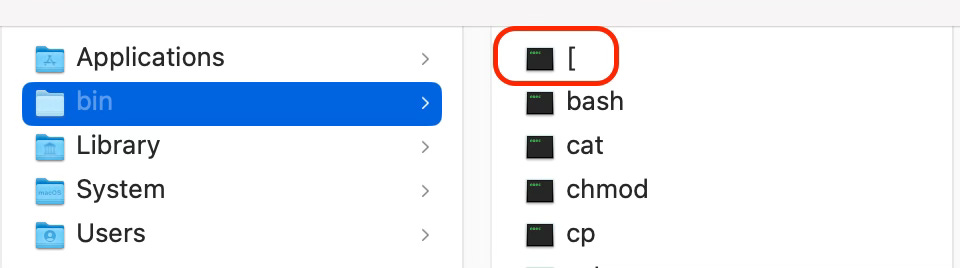
I was looking at the /bin directory on my Mac when I noticed this peculiar executable:
Some Background
/bin on Unix-like systems contains executable system binaries ("commands"). In this directory, you'll find files like cat, chmod, and mkdir which are the actual files that get invoked when you type the commands of the same names into your terminal.
I had never seen an executable named [ before (I'm not really a command line junkie). Typing the name of this executable in various ways into Google yielded no relevant results. Thankfully, ChatGPT exists now and here's what it said:
The
[executable found in/binis essentially the same as thetestcommand in Unix and Unix-like operating systems. It's used to evaluate conditional expressions. When you use[in a shell script or in the command line, you are actually invoking this executable.
Basically, when you use a conditional statement in your shell code, e.g.:
if [ -f some_file.pdf ]; then
    echo "The file exists."
else
    echo "The file does not exist."
fi
The [ in the if statement is actually invoking the [ binary in /bin and then using its output to evaluate the condition. The closing ] doesn't actually invoke any command (there is no ] binary) but it's required in shell syntax in order to close the conditional statement.
Try It
Just type the following into your terminal:
% [ "hello" = "world" ]Nothing gets output. That's because this command returns its output as an exit status code, which the shell doesn't print to the screen. We can tell it to print the exit status code after running the command:
% [ "hello" = "world" ]; echo $?
1
You should get 1; the exit status code of this condition. An exit code of 1 means the condition is false (which is contrary to what you might be used to in programming where a non-zero value means *true*).
% [ "hello" = "hello" ]; echo $?
0
You should get 0, meaning the condition is true.
Just another little nook in the interesting Unix way of doing things!